> For the complete documentation index, see [llms.txt](https://help.clickatell.com/llms.txt). Markdown versions of documentation pages are available by appending `.md` to page URLs; this page is available as [Markdown](https://help.clickatell.com/sms/long-numbers.md).
# Long numbers
In order to receive replies to messages you send (i.e. [2-way communication](https://help.clickatell.com/sms/2-way-sms-communication.md)), you require a dedicated number. You can choose between using a [long number](#what-is-a-long-number) or a [short code](https://help.clickatell.com/sms/short-codes.md).
## What is a long number?
* Can be up to 16 digits in length.
* Ideal if you want to receive replies but it's not important that people easily remember your number (e.g., marketing campaigns, competitions, booking confirmations, and customer surveys).
* Allows your business to receive replies from local and international destinations.
* Less expensive than [short codes](https://help.clickatell.com/sms/short-codes.md).
{% hint style="info" %}
All **US long numbers** must be registered on the [**10DLC**](https://help.clickatell.com/sms/10dlc-regulations-us/what-is-10dlc.md) environment based on new regulations by The Campaign Registry.
You can [register a brand and campaign](https://help.clickatell.com/sms/10dlc-regulations-us/apply-for-a-10dlc-brand-and-campaign.md) for your US long numbers from within the Clickatell Portal itself. **This is only required for US long numbers**.
Refer to [these FAQs](https://www.clickatell.com/help-center/sms/10dlc-us-long-numbers) for more details on 10DLC and why it was introduced.
{% endhint %}
## Purchase a long number
{% hint style="info" %}
Only relevant to Connect Lite. For other packages, Clickatell will do this on your behalf.
{% endhint %}
{% hint style="success" %}
Ensure that your [billing details](https://clickatell.gitbook.io/chat-commerce-platform/account-management/billing-and-payments/billing-details) have been set up before purchasing a long number.
{% endhint %}
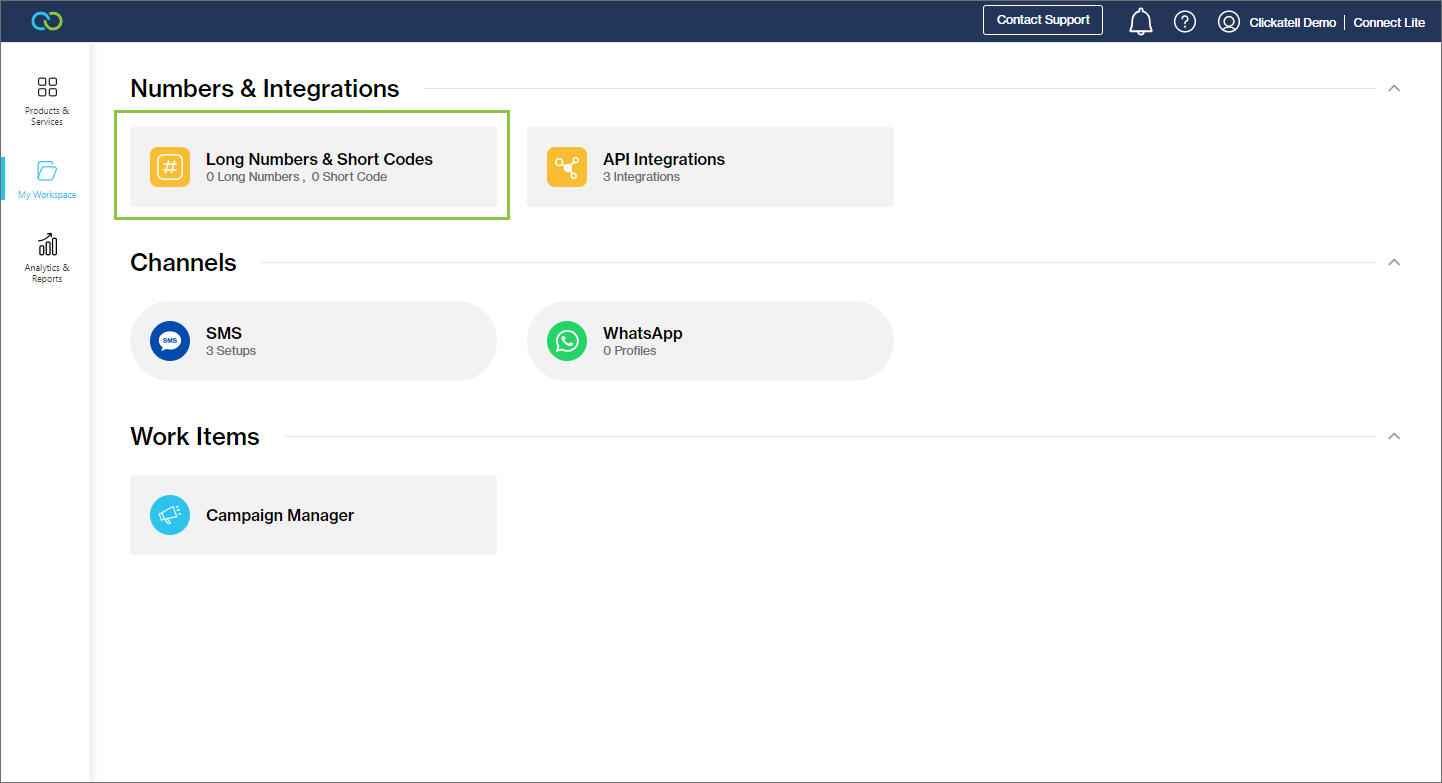
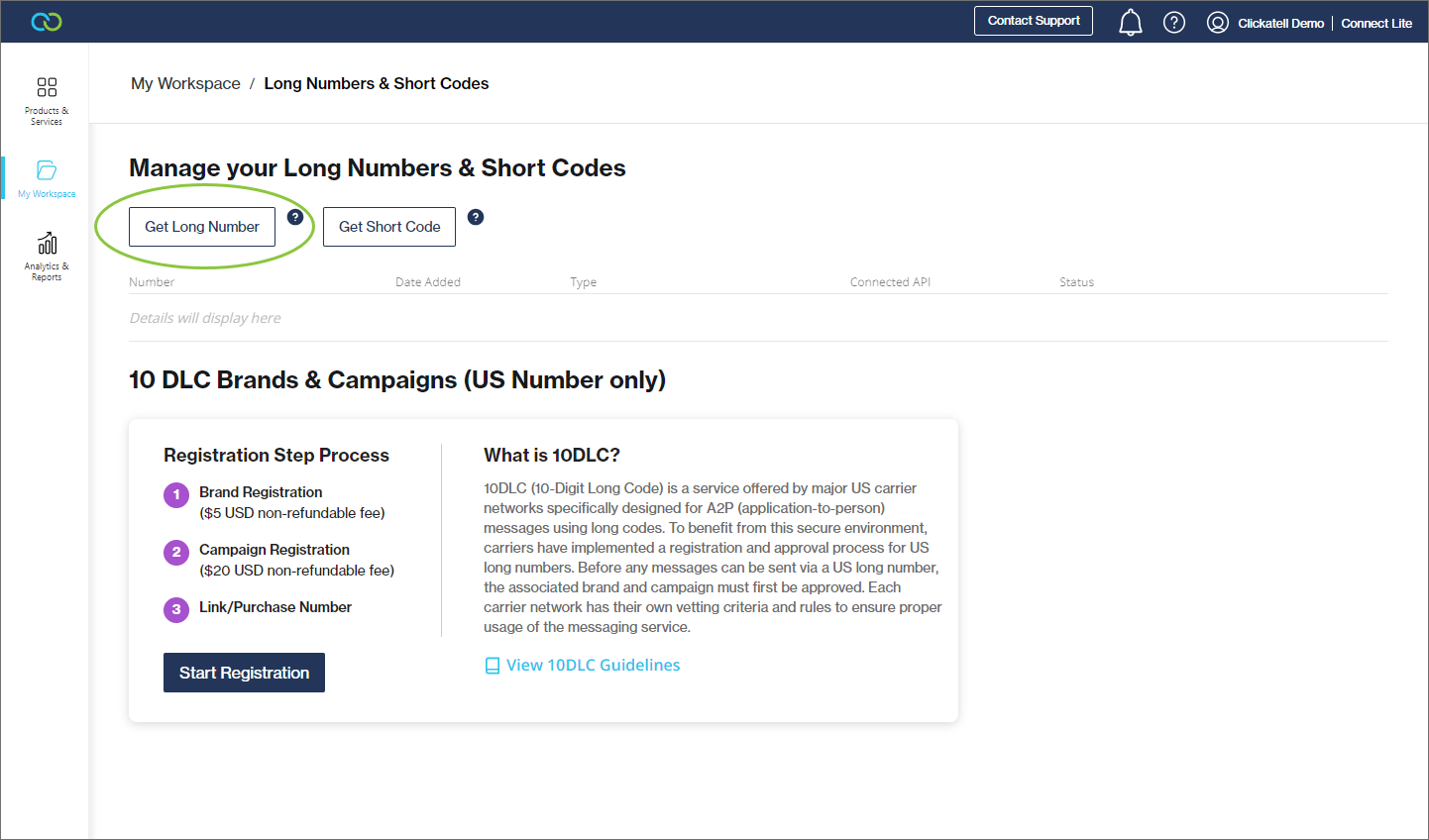
1. Navigate to *My Workspace -> Long Numbers & Short Codes ->* *Get Long Number.*
* Alternatively, navigate to *My Workspace --> SMS* and click the *Get Long Number* button under *My SMS Numbers*.
2. Complete the application wizard presented to you.
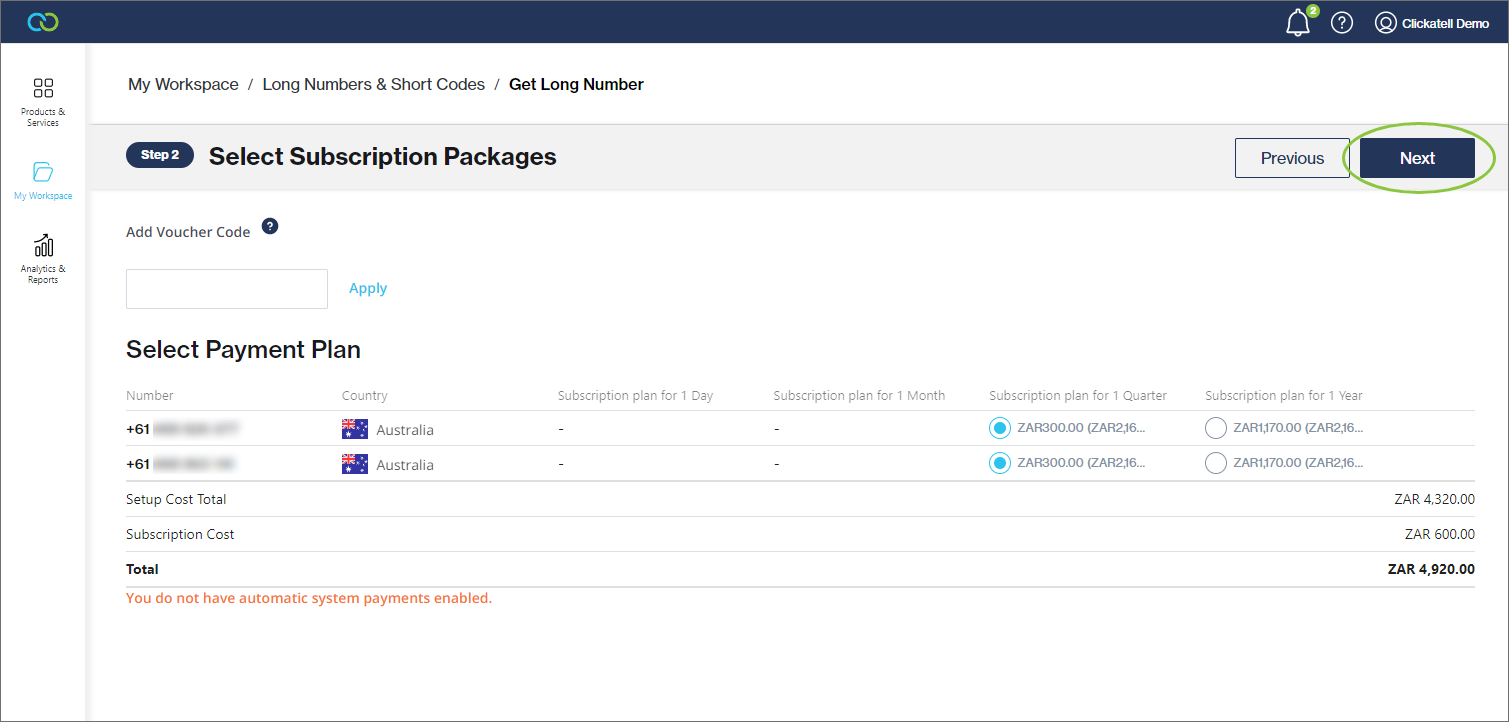
3. You can select multiple numbers per country, and you can also use the *+ Add Number* button to add numbers for multiple countries.
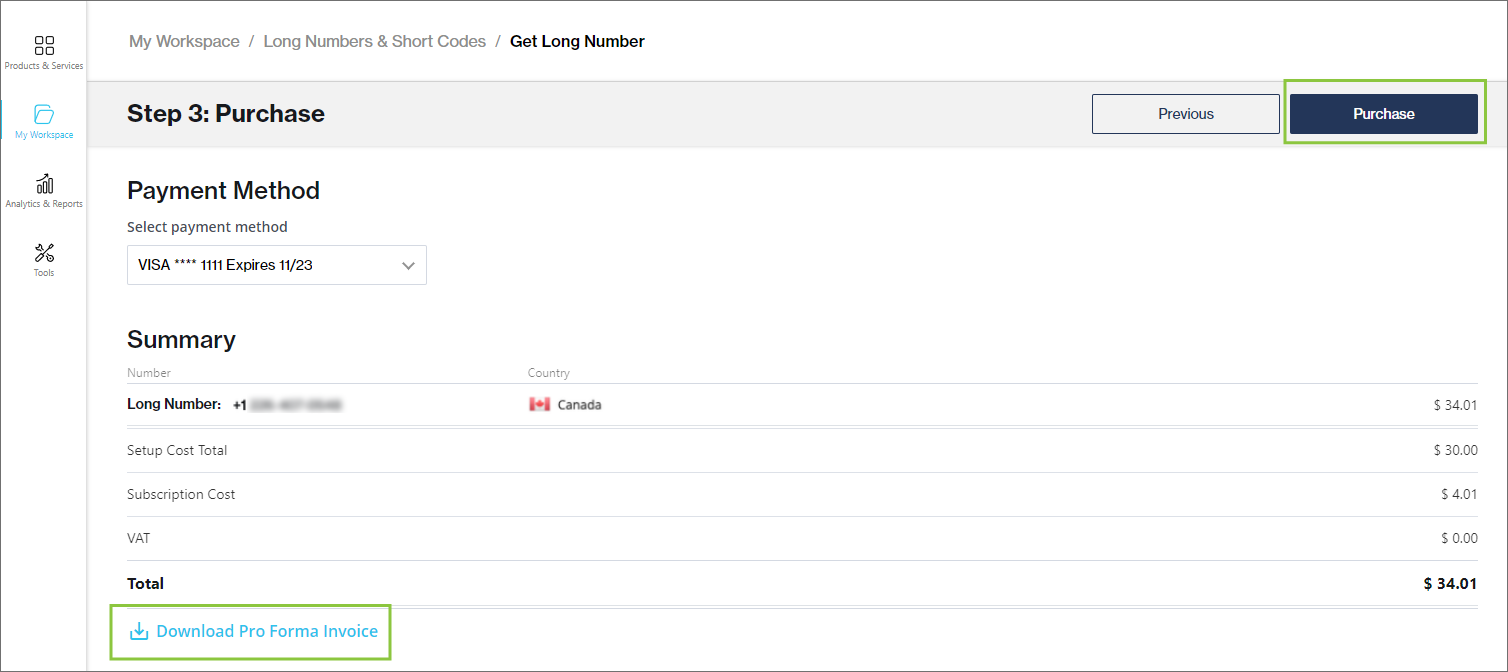
4. Select a subscription package and payment method.
5. Use the toggle to enable auto-renewal (i.e., your subscription will automatically renew at the end of each subscription period).
{% hint style="warning" %}
The auto-renewal option is only available if you've specifically given permission when you [added the payment method](https://clickatell.gitbook.io/chat-commerce-platform/account-management/billing-and-payments/payment-methods).
{% endhint %}
6. Download a pro forma invoice as a PDF document (optional).
7. Click *Purchase* to confirm the purchase.
{% hint style="success" %}
The new long number will now appear in your [*Long numbers & Short codes*](https://help.clickatell.com/sms/getting-started/add-view-and-edit-sms-numbers.md) table and will be available to link to an SMS setup.
{% endhint %}