> For the complete documentation index, see [llms.txt](https://help.clickatell.com/llms.txt). Markdown versions of documentation pages are available by appending `.md` to page URLs; this page is available as [Markdown](https://help.clickatell.com/sms/getting-started/activate-sms.md).
# Activate SMS
{% hint style="info" %}
Only relevant to [Connect Lite](https://guides.clickatell.com/chat-commerce-platform-guide/packages/connect-lite). For other packages, Clickatell will do this on your behalf.
{% endhint %}
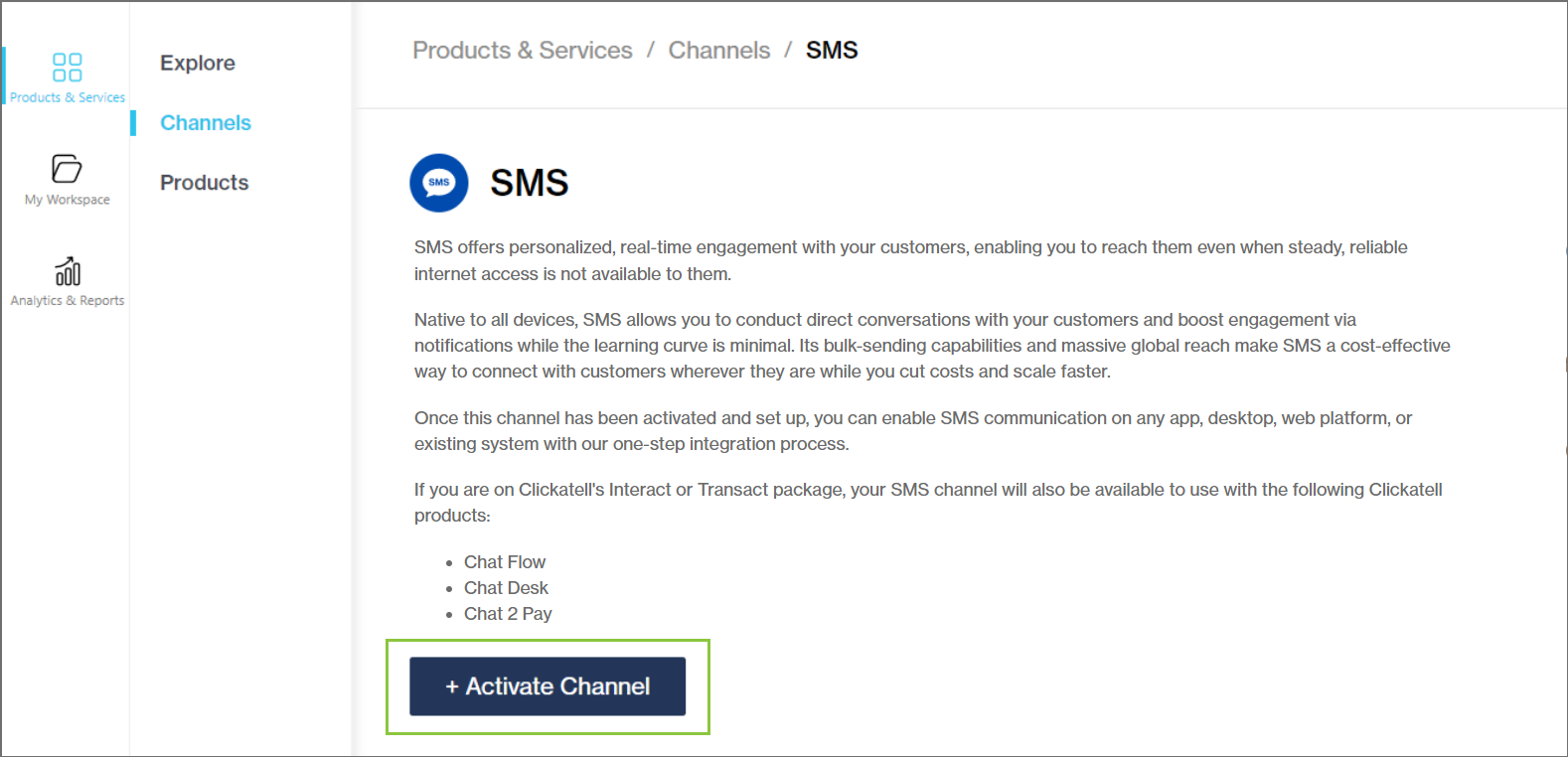
1. Navigate to *Products & Services -> Channels -> SMS*.
2. Click *+Activate channel.*
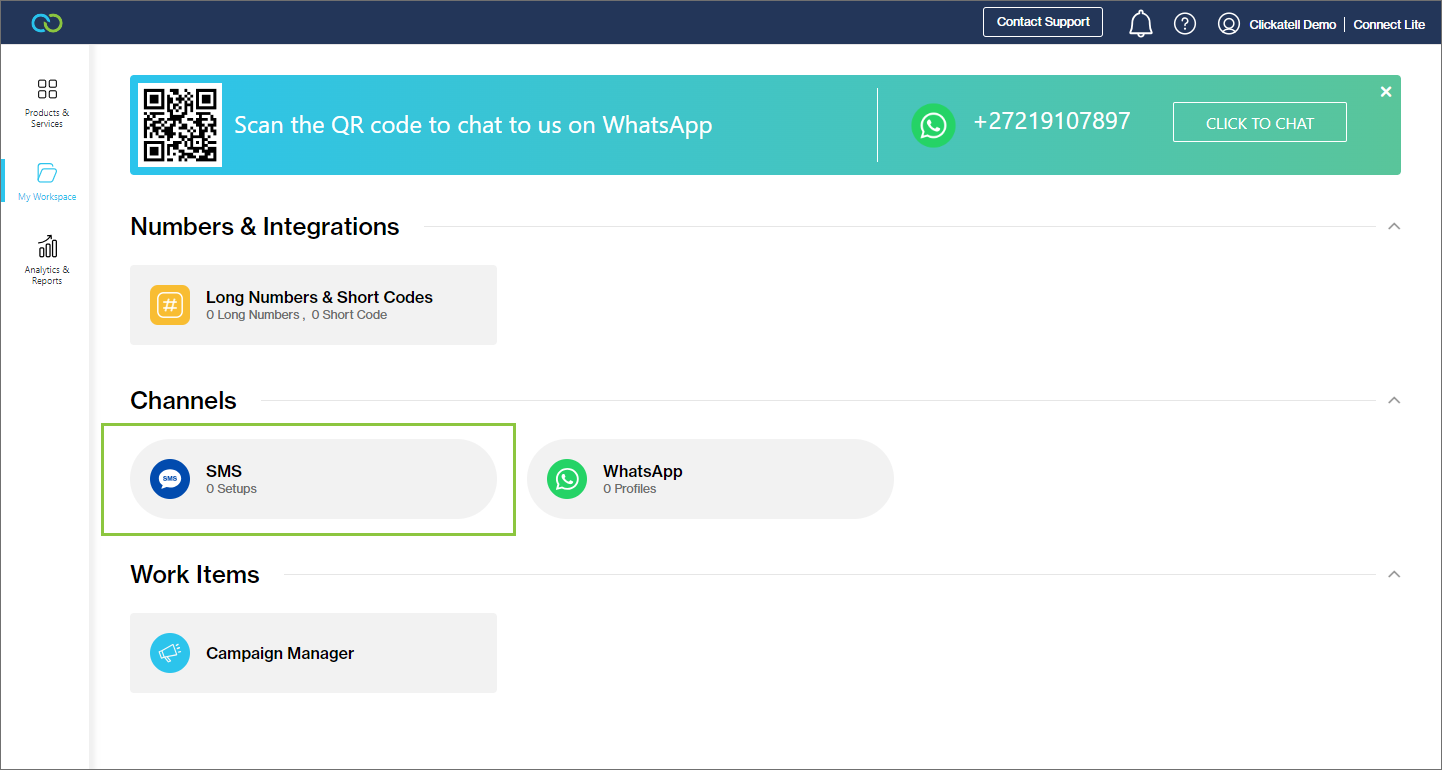
* This adds SMS as a channel on the *My Workspace* tab.
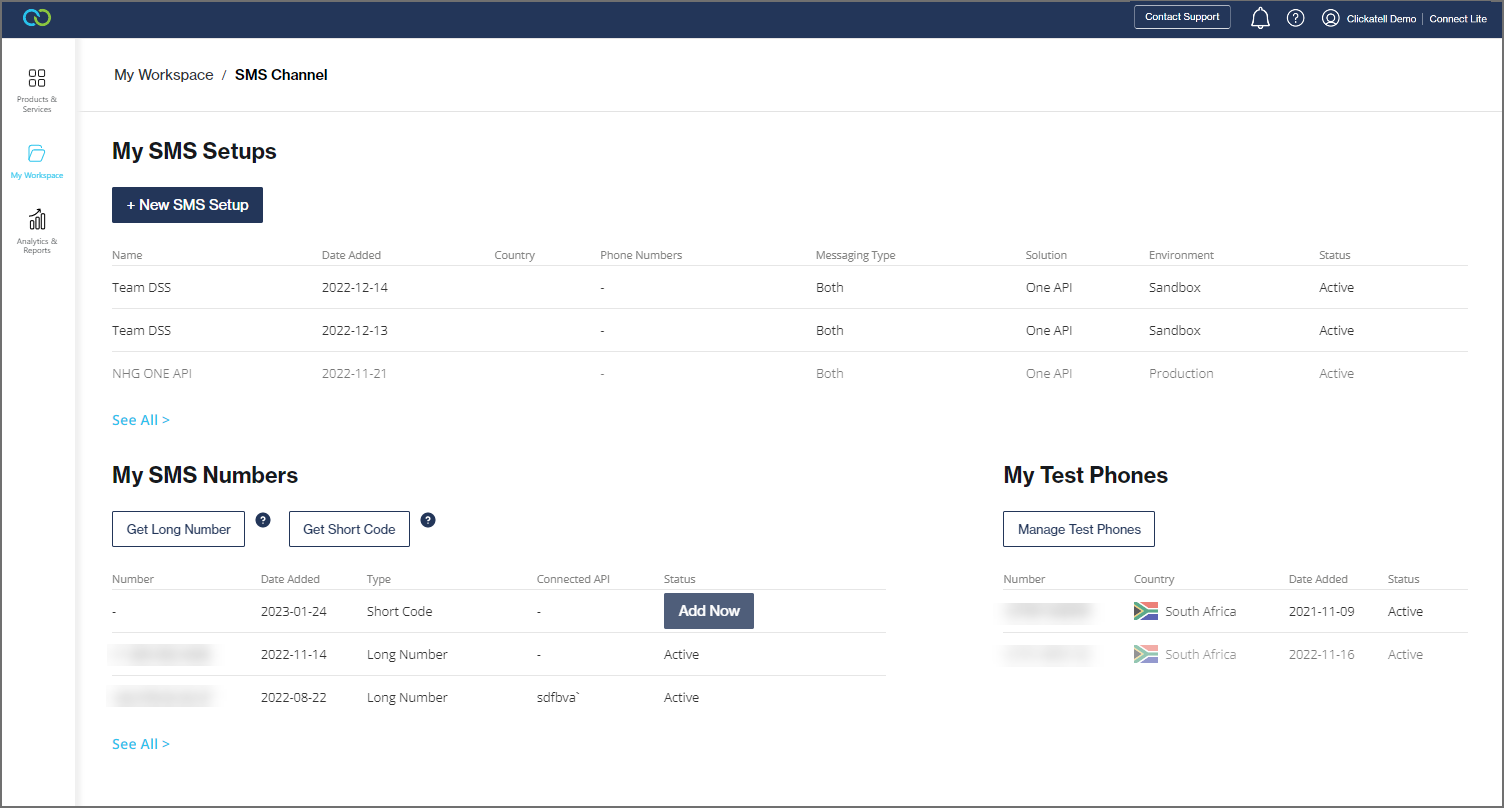
3. On the *My Workspace* tab*,* click the SMS card to open your SMS channel management page.
4. From here, you can:
* [Add new SMS setups](https://help.clickatell.com/sms/getting-started/add-new-sms-setups.md).
* [View and manage your SMS setups](https://help.clickatell.com/sms/getting-started/view-and-edit-sms-setups.md).
* [View, manage, and purchase new long numbers and short codes.](https://help.clickatell.com/sms/getting-started/add-view-and-edit-sms-numbers.md)
* [Register for and manage US Long Number (10DLC).](https://help.clickatell.com/sms/10dlc-regulations-us/what-is-10dlc.md)
* [View, manage, and add test phones.](https://help.clickatell.com/sms/getting-started/add-view-and-edit-test-phones.md)